This is an old revision of the document!
SONA: Adding a timeslot
You need a *timeslot* for your study or else no participants will be able to sign up and take it. A timeslot in SONA is just an end date plus a maximum number of participants.
1. Go to the Manage Timeslots page by one of two methods:
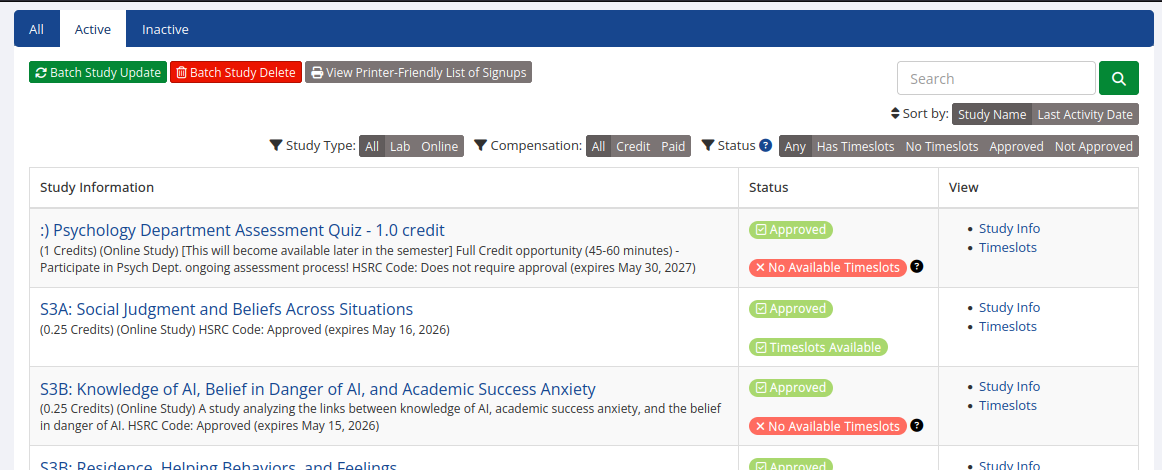
Option A: right after you login, click “View Studies” then find yours. Way over to the right there will be a “timeslots” link under the “study info” link:
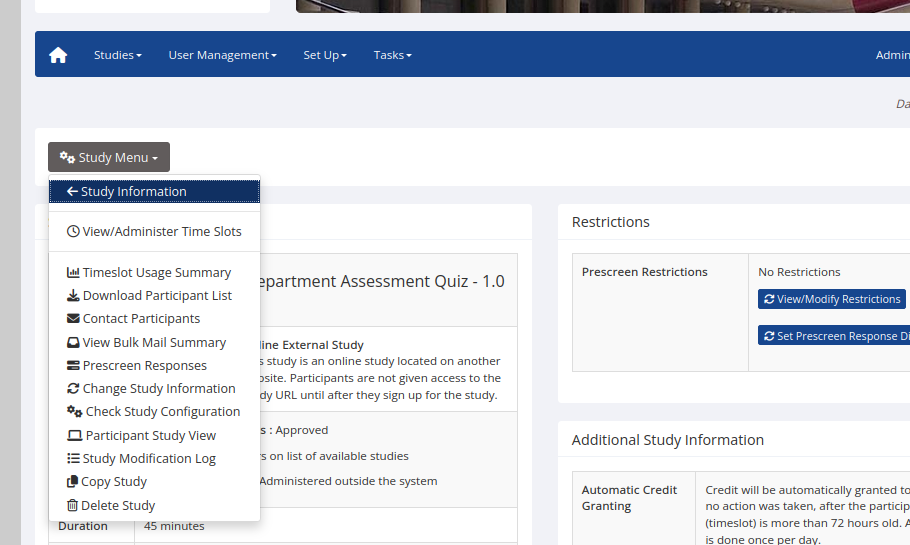
 Option B: After you click your study, in the main pull-down menu there's a “View/Administer Timeslots” link:
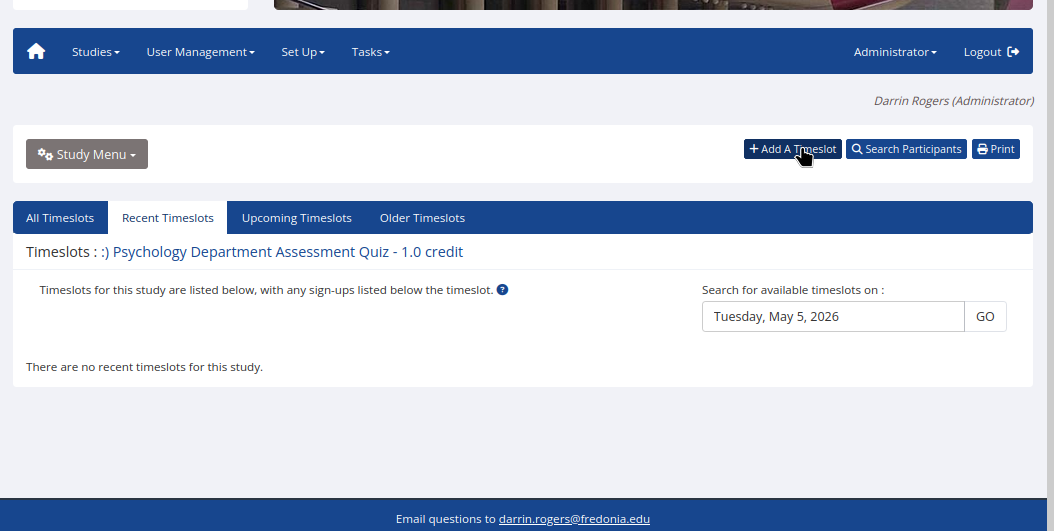
2. In the Administer Timeslots (?) page, click “add a timeslot”
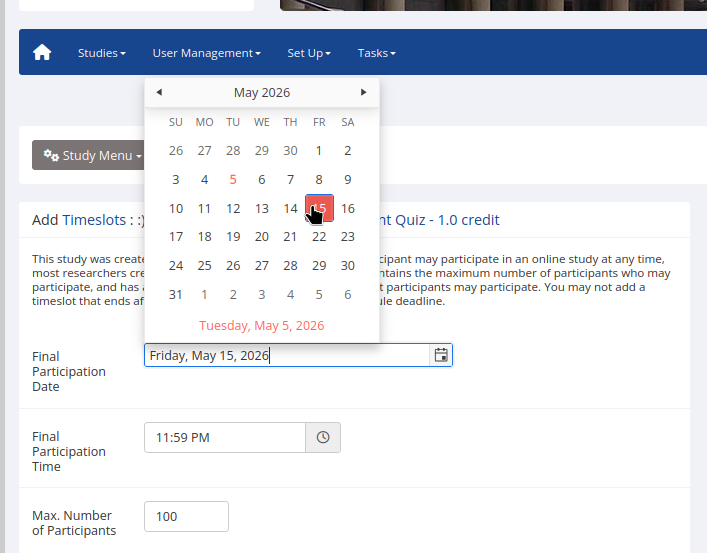
3. Set an end date/time: I recommend Thursday at the latest; you still need to clean, analyze, and format that data into a poster that can be printed by Saturday afternoon at the latest. Then set a max number of participants: Just make it a big number like 100
And you're done!