SONA: Adding a timeslot
You need a *timeslot* for your study or else no participants will be able to sign up and take it. A timeslot in SONA is just an end date plus a maximum number of participants.
1. Go to the Manage Timeslots page by one of two methods:
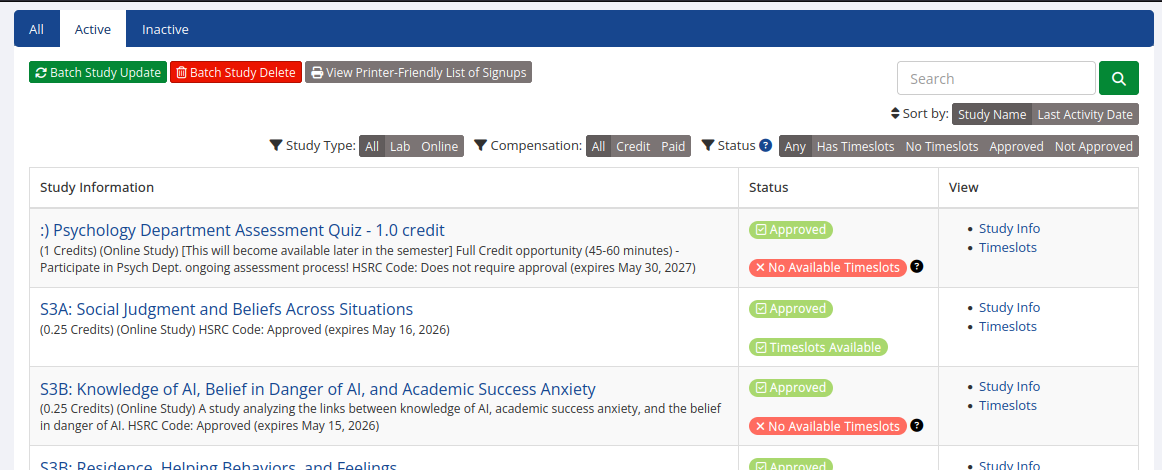
Option A: right after you login, click “View Studies” then find yours. Way over to the right there will be a “timeslots” link under the “study info” link:
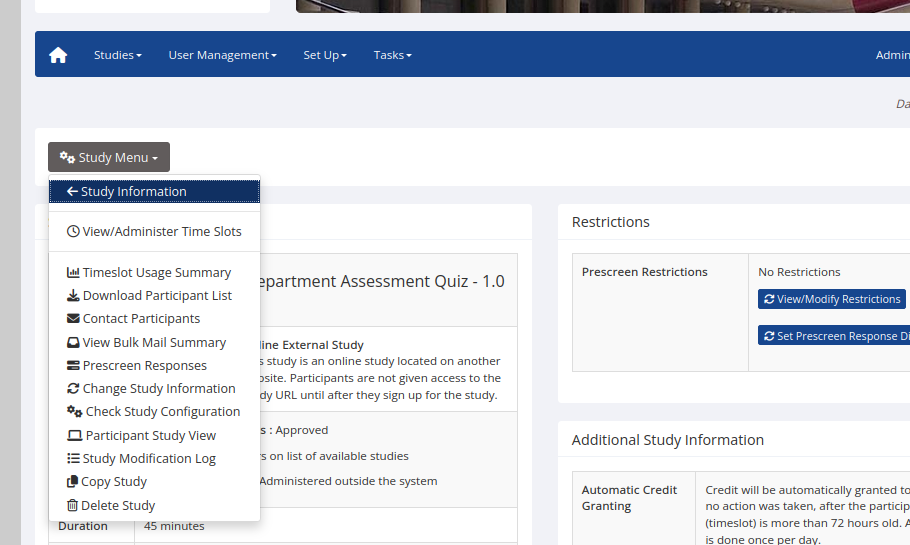
Option B: After you click your study, in the study menu there's a “View/Administer Timeslots” link:
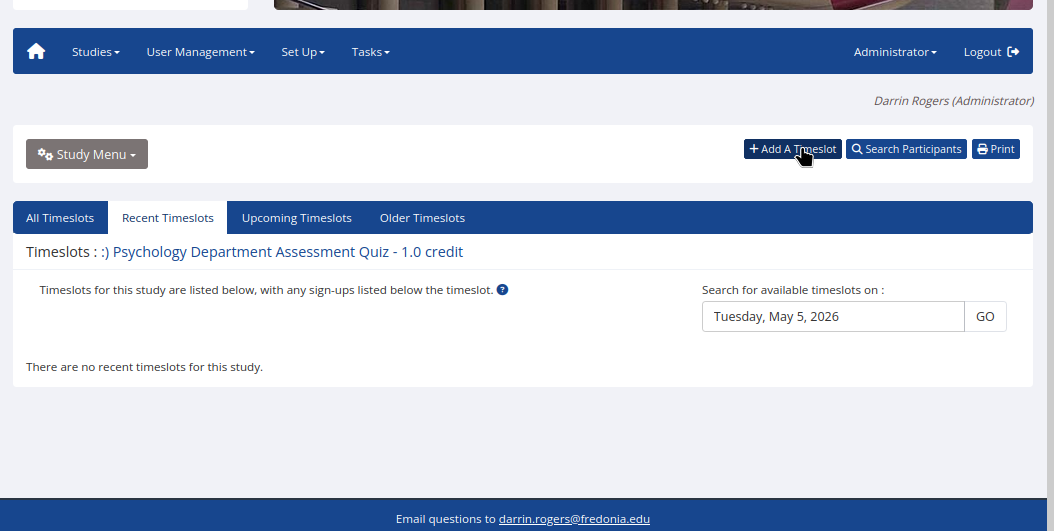
2. In the Administer Timeslots (?) page, click “add a timeslot”
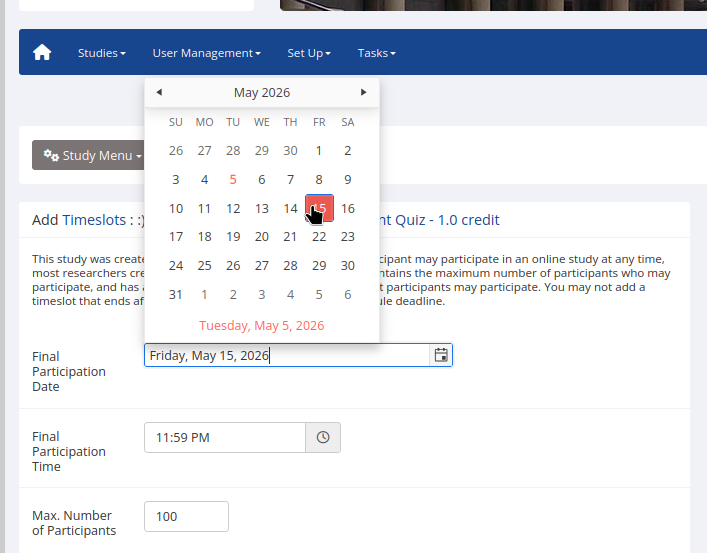
3. Set an end date/time: Set it for the last hour when you're willing to be getting new data. After that date you still need to clean and analyze the data, then interpret it, write Results, write the Discussion, and make everything formatted and pretty for your poster (or other presentation). If you're printing a poster, make sure you have time to do all this and then get the poster printed at the Media Center (make sure to check their hours). After you set the date and time, set a max number of participants: Just make it a big number like 100
And you're done!